Coming soon
- Category
- Productivity
- Runs on
- iPhone, iPad
- Developer
- Cihat SALİK
Preview
iOS

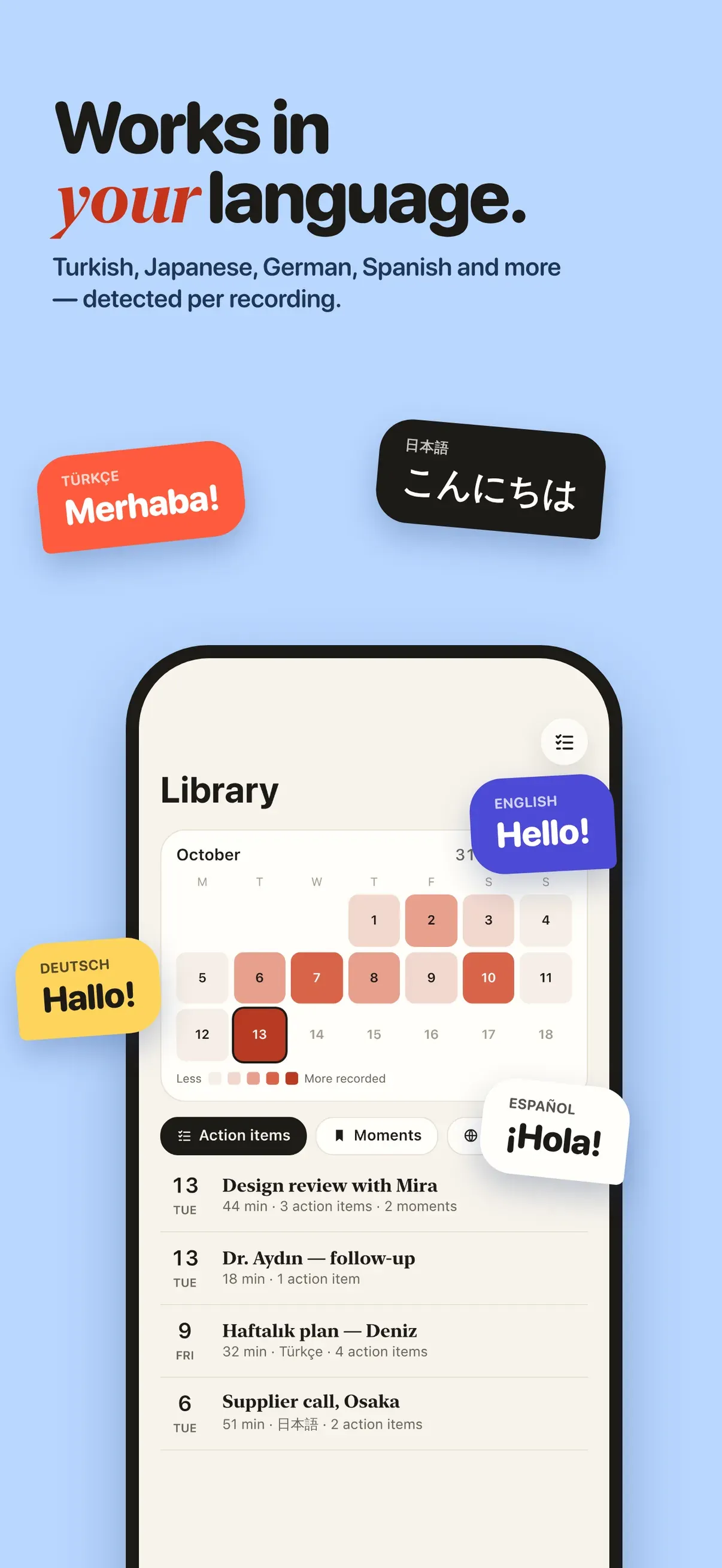
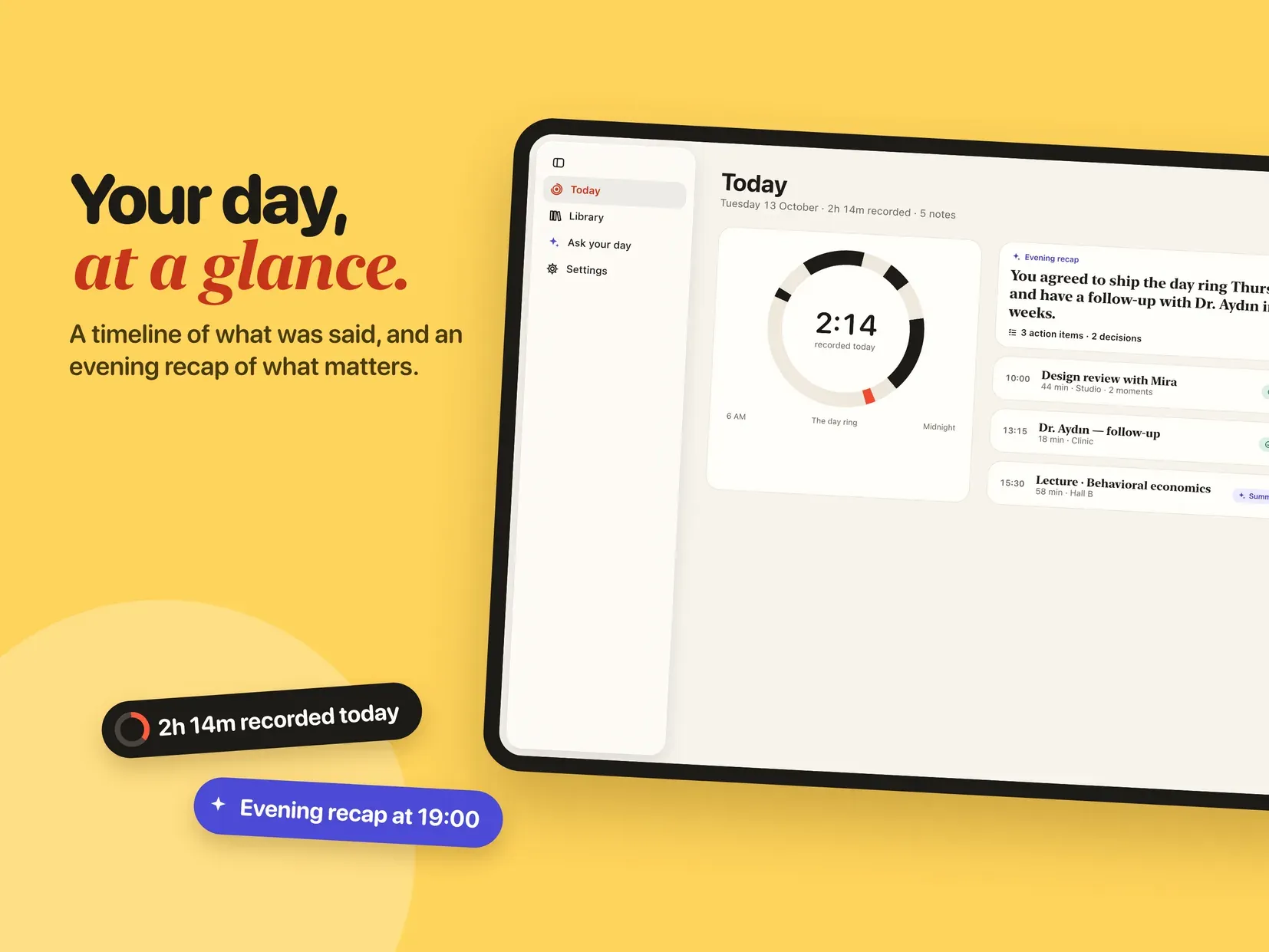

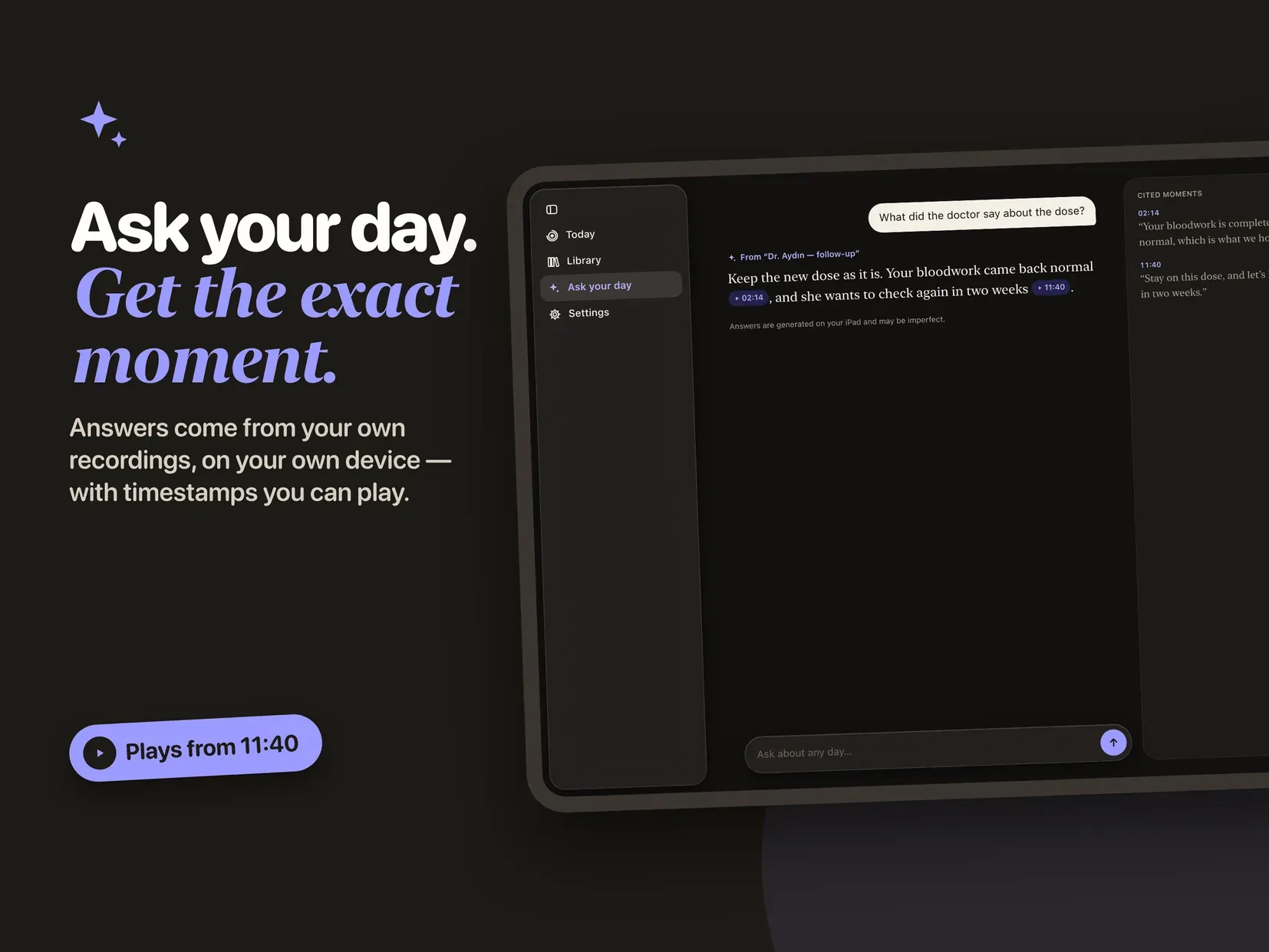
About
Highlights
- Record on your iPhone or iPad, and mark the moments that matter while you are still recording
- Transcripts written on the device by Apple speech recognition or a downloadable Whisper model, close to a hundred languages
- Title, key points, decisions and action items from Apple Intelligence or a downloadable on-device model, with actions sent to Reminders
- Ask your day a question in plain words and get the answer with the moment it came from
- An evening recap gathers the whole day into one short read
- Search every transcript, import voice memos, export text, Markdown or audio
- No account and no Earshot server: audio and transcripts stay on your device
How it works
-
Record or import
Press record on your iPhone or iPad, or import a voice memo or another audio file. Tap Mark when something matters, and show the consent card to let the room know a recording is running. Auto-pause zones pause the recorder by itself at places you name, such as home.
-
Let it transcribe
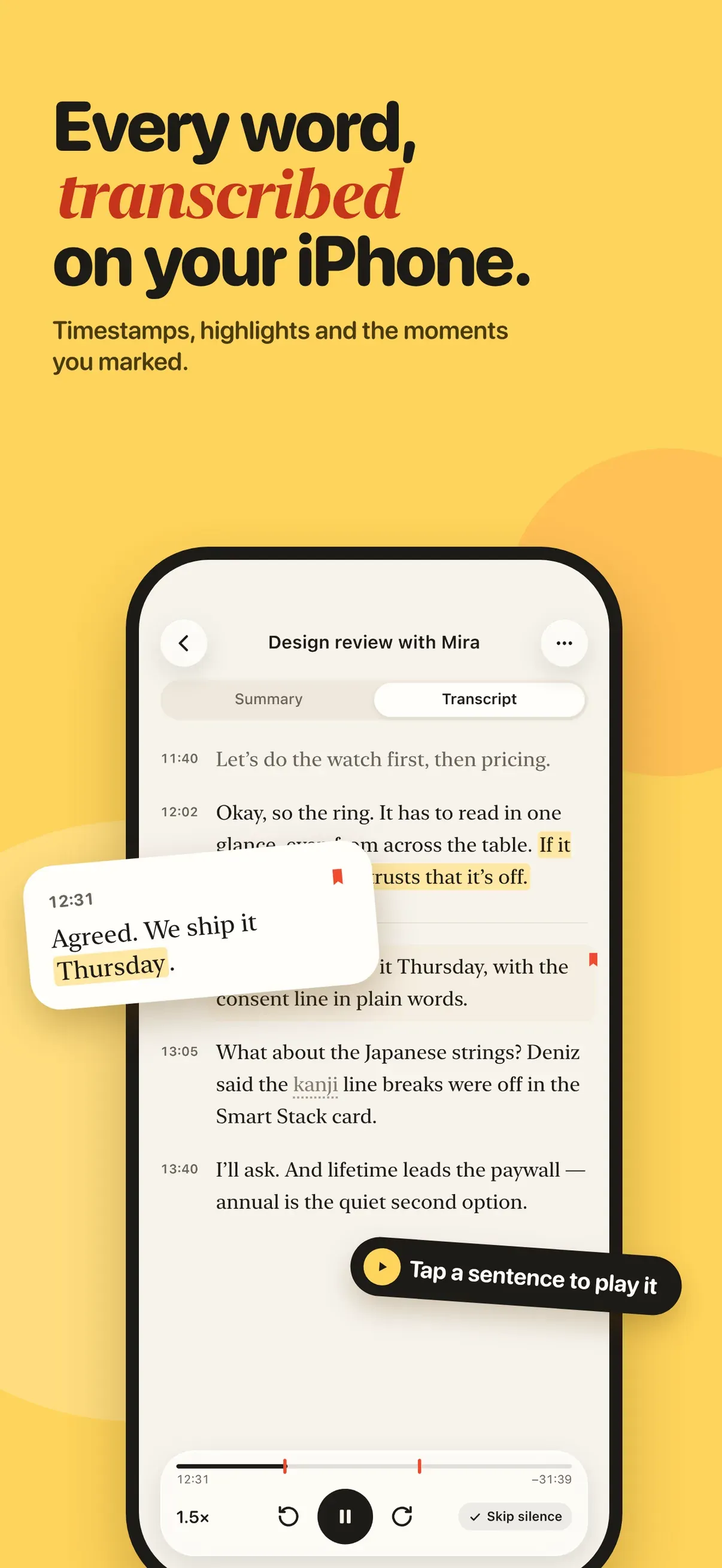
When you stop, Earshot writes the transcript on the device: with Apple’s speech recognition for the languages it covers, and with a Whisper model you download once for the rest. Every line keeps its timestamp, so tapping a sentence plays it back.
-
Read the summary
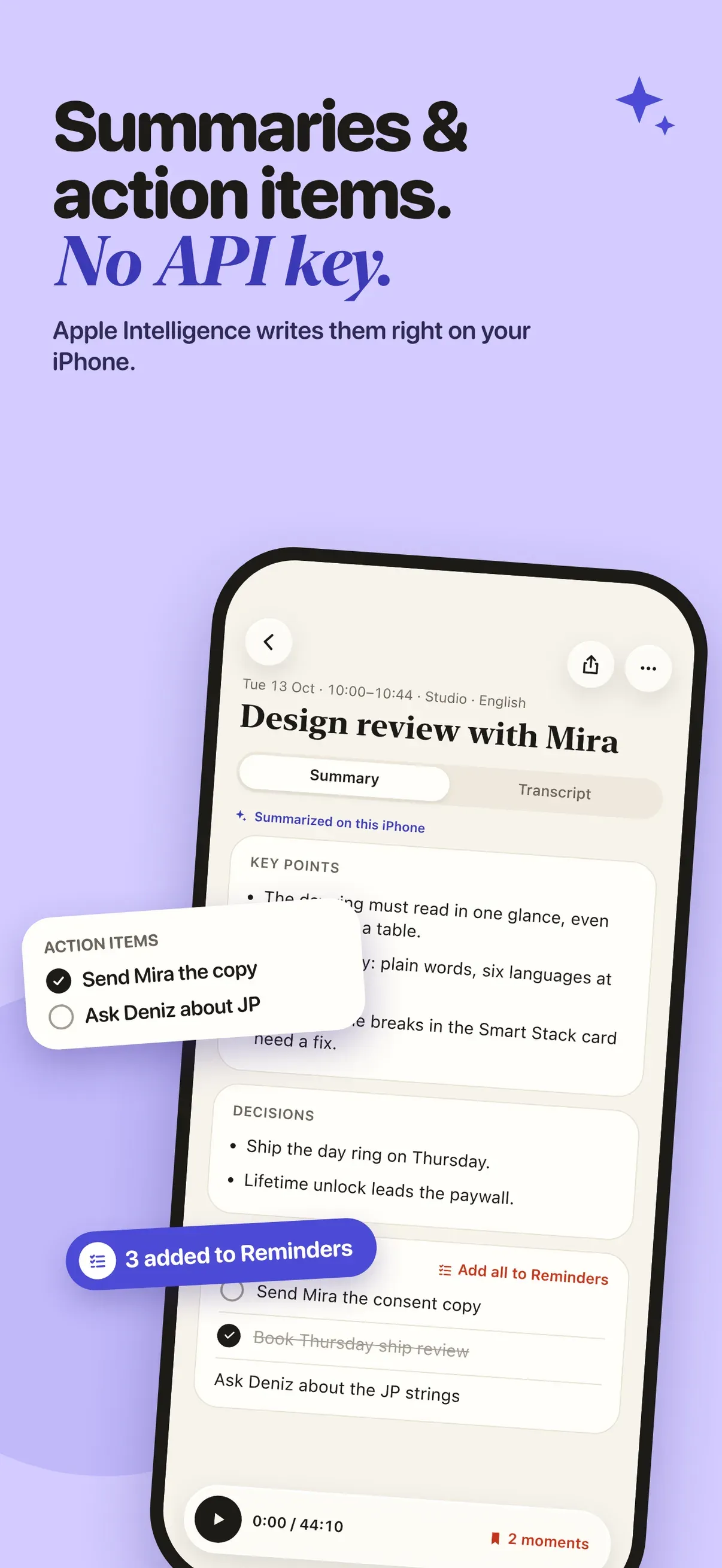
Each recording gets a title, key points, decisions, open questions and action items. Apple Intelligence writes them where your device has it and supports the language; everywhere else Earshot’s own summary model does, after a one-time download in Settings. Action items go to Reminders with one tap.
-
Ask, search, translate, export
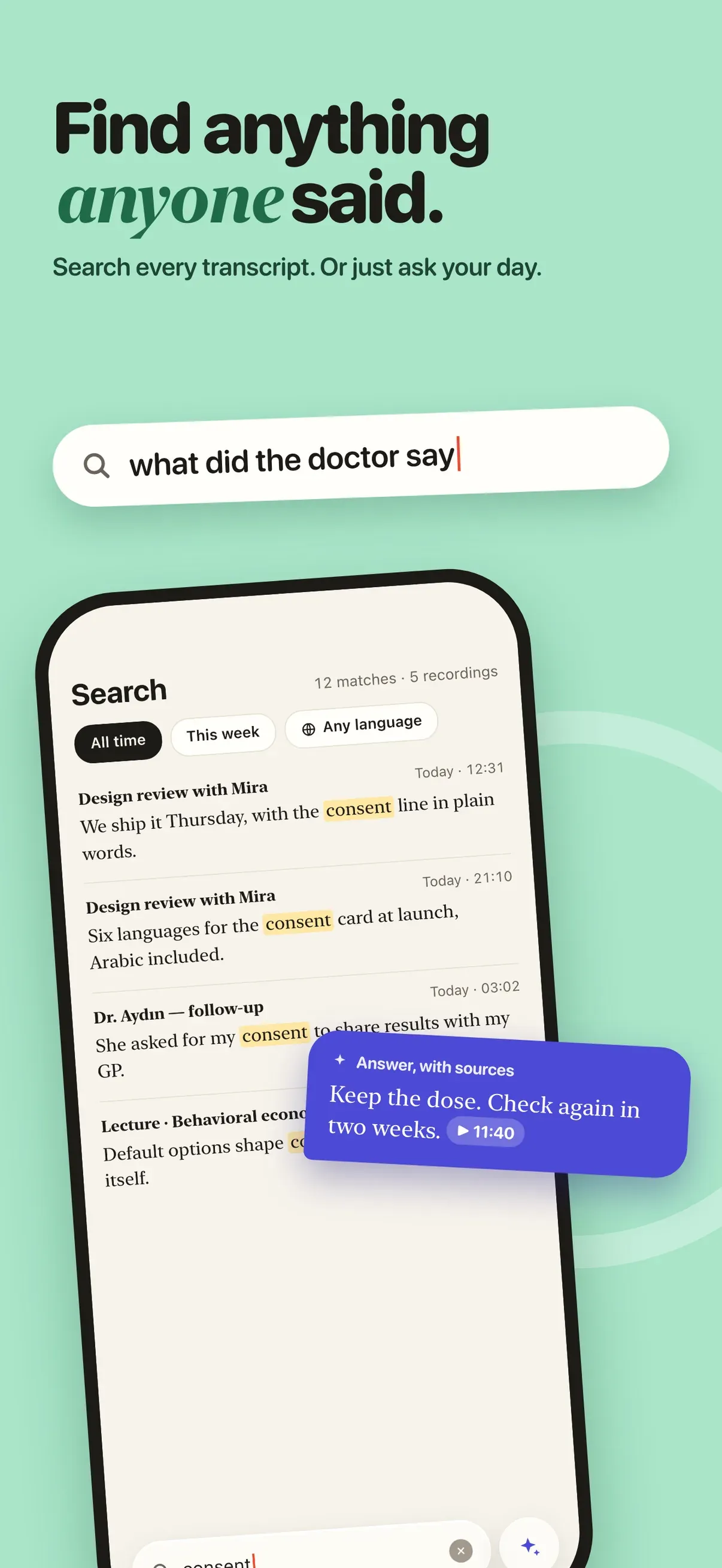
Search finds a word in any recording, and Ask your day answers a question in plain words with the quoted moments it came from, ready to play. Translate a whole transcript into another language on the device, read the evening recap of your day, and export text, Markdown or the original audio.
Who it is for
-
People in meetings and lectures
Record the session, mark the parts that matter and come away with the decisions and action items without taking notes by hand.
-
Anyone who thinks out loud
Talk through ideas and to-dos on a walk, then come back to a summary and a list you can send to Reminders.
-
People who keep recordings private
There is no account and no Earshot server. Audio, transcripts and summaries stay on your device, behind Face ID if you choose.
-
People who speak more than one language
Close to a hundred languages can be transcribed, and a transcript can be translated into another language without leaving the device.
Written guide
Earshot: press record, get the transcript and the summary on your phone
Earshot records on iPhone or iPad, then writes the transcript, summary, decisions and action items on the device — with Apple speech recognition or Whisper, and Apple Intelligence or a downloadable model.
Read the guideQuestions about Earshot: AI Voice Recorder
- How do I transcribe a voice recording on iPhone?
- Record in Earshot, or import a voice memo or any audio file. When the recording ends, Earshot transcribes it on the device and keeps a timestamp on every line, so tapping a sentence plays that moment. Search then finds any word across all your recordings.
- Does Earshot transcribe offline, and with what?
- Yes. Transcription runs on the device with Apple’s Speech framework (SpeechAnalyzer) for the languages Apple covers, and with OpenAI’s Whisper, run through WhisperKit, for the rest. On devices that can only run the smallest Whisper build, Earshot uses Apple’s on-device dictation model instead wherever it has the language. The internet is needed only to download the speech and summary models.
- Which languages can Earshot transcribe?
- Close to a hundred: the languages Apple’s speech recognition supports, plus the languages Whisper was trained on. Choose yours under Languages in Settings. Best quality everywhere makes Whisper transcribe every language, which is slower and on some devices less accurate. The app itself is in English and Turkish.
- Do I need Apple Intelligence for summaries?
- No. On a device with Apple Intelligence turned on, Earshot uses it for the languages Apple Intelligence writes. Everywhere else, Earshot’s own summary model, a Qwen3 model run on the device with MLX, writes summaries, translations and Ask answers after a one-time download in Settings, in every language Earshot transcribes. On a device without the memory for that model, Earshot keeps the transcript.
- Can I record a meeting and get a summary with action items?
- Yes. After the transcript, Earshot writes a title, key points, decisions, open questions and action items, and one tap adds the action items to Reminders. A full-screen consent card shows the room that a recording is running. With Earshot Pro, the evening recap gathers the day’s recordings into one short read.
- What is free, and what does Earshot Pro add?
- Recording, transcripts, search, marks, translation and Reminders are free, along with five summaries a month. Earshot Pro removes the summary limit and adds the evening recap, Ask your day, export to text, Markdown and audio, and the Face ID lock. It comes as a yearly subscription or as a one-time Lifetime purchase.
- Do I need an account, and where are my recordings stored?
- There is no account and no Earshot server. Audio, transcripts and summaries are stored on your device, and the only downloads are the speech and summary models. With Earshot Pro you can lock the app with Face ID, Touch ID or your passcode, and anyone can set Delete audio after to 7, 30 or 90 days and keep only the text.
- Which devices does Earshot run on?
- iPhone and iPad with iOS 26 or later. Earshot offers each Whisper and summary model only where the device can open it, and picks one that suits it. Siri and Shortcuts can start and stop a recording, mark a moment and answer a question from your recordings.
Same corner of the toy box
More apps you might like
If Earshot: AI Voice Recorder is your kind of thing, these live in the same neighbourhood — all made by the same pair of hands.
Mena: Mind Map & Concept Map
Visual Notes, Thinking & AI
ProductivityiOS · macOS
VoxPage: Read Aloud PDF Reader
Offline Text to Speech Voices
ProductivityiOS
Cue: Teleprompter That Listens
Voice Script Reader & Practice
ProductivityiOS · macOS
Studyink: Cards With Sources
Every card shows its page
EducationiOS