Coming soon
- Category
- Utilities
- Runs on
- iPhone, iPad
- Developer
- Cihat SALİK
Preview
iOS
About
Highlights
- Scanner for QR, Micro QR, Data Matrix, Aztec, PDF417, EAN, UPC, Code 128, Code 39, ITF and GS1 DataBar
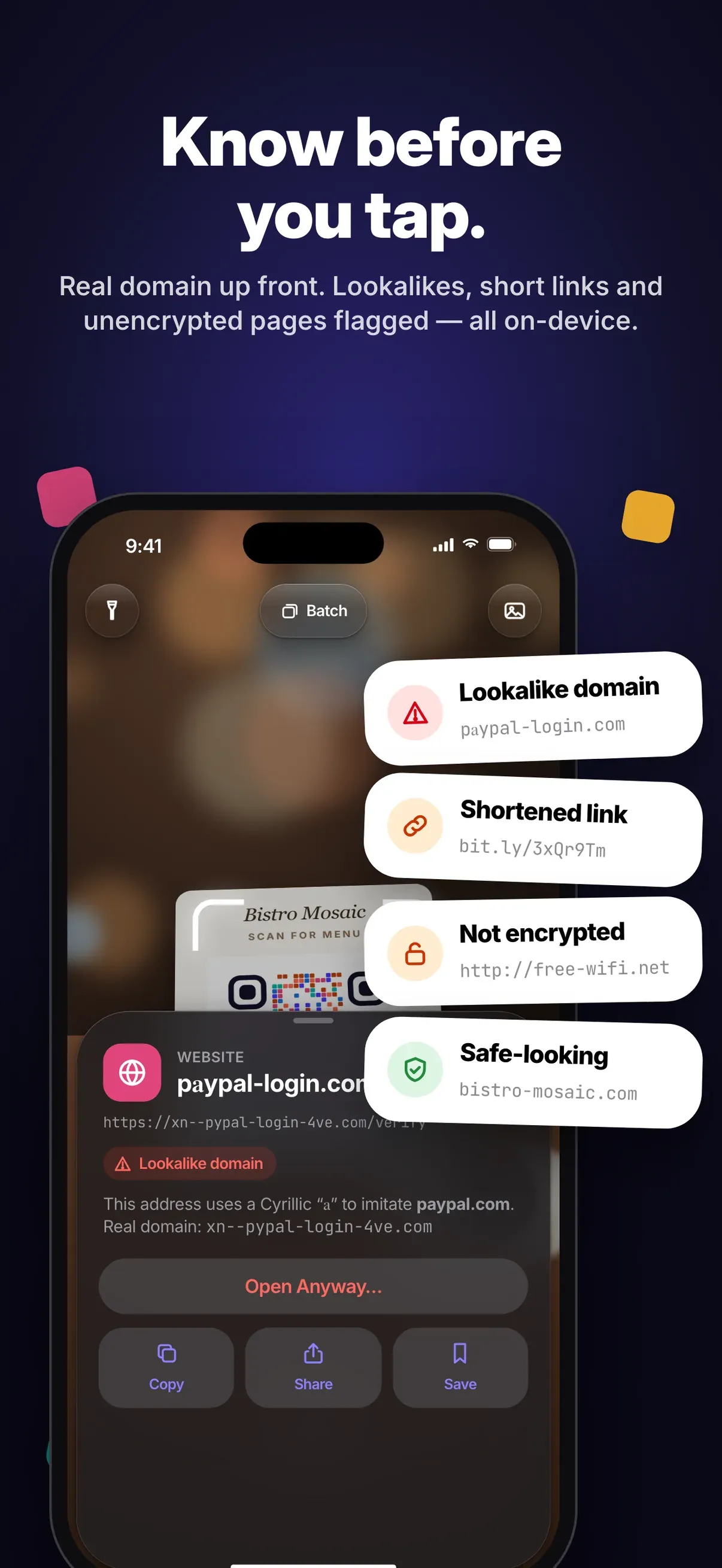
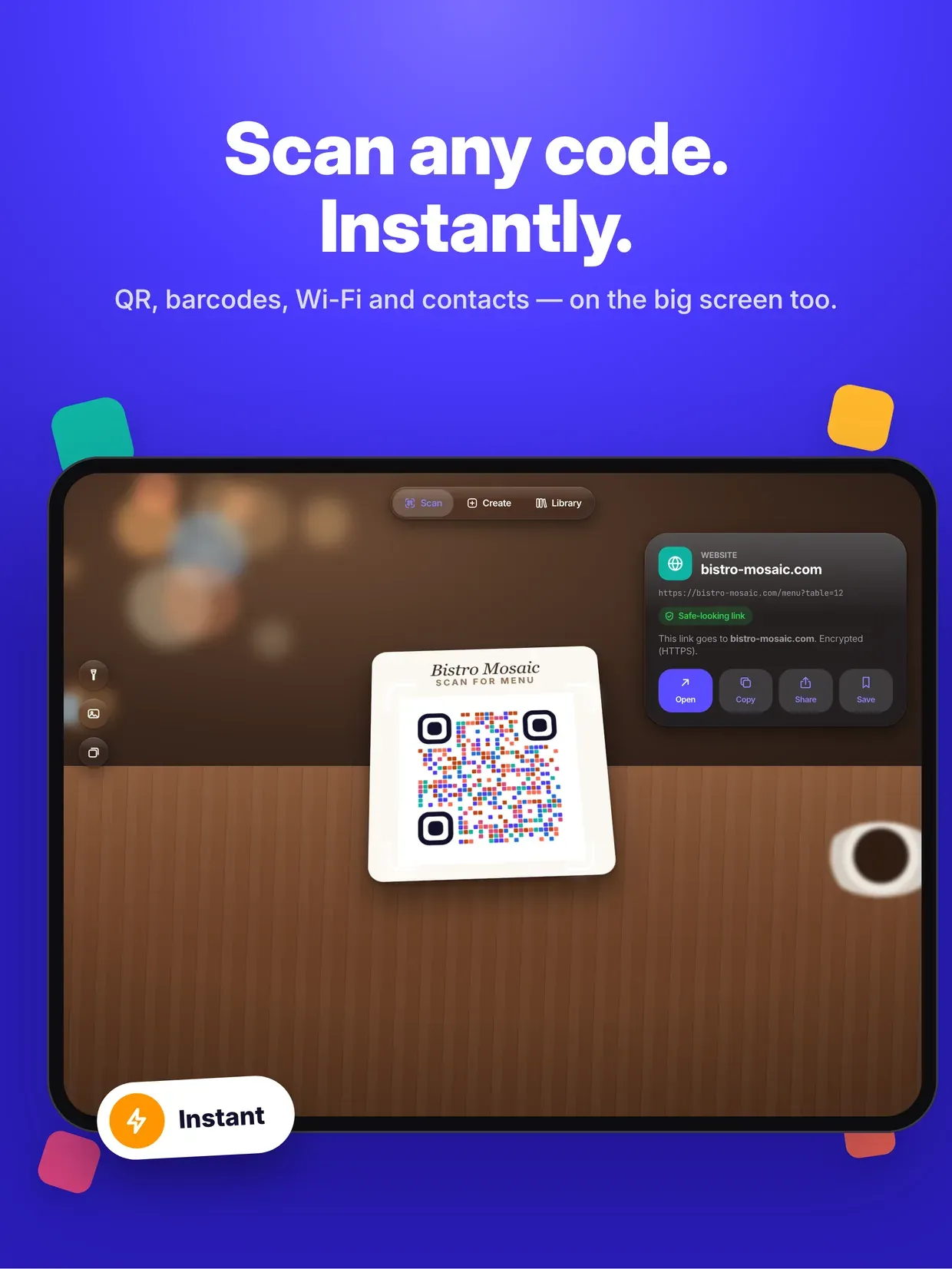
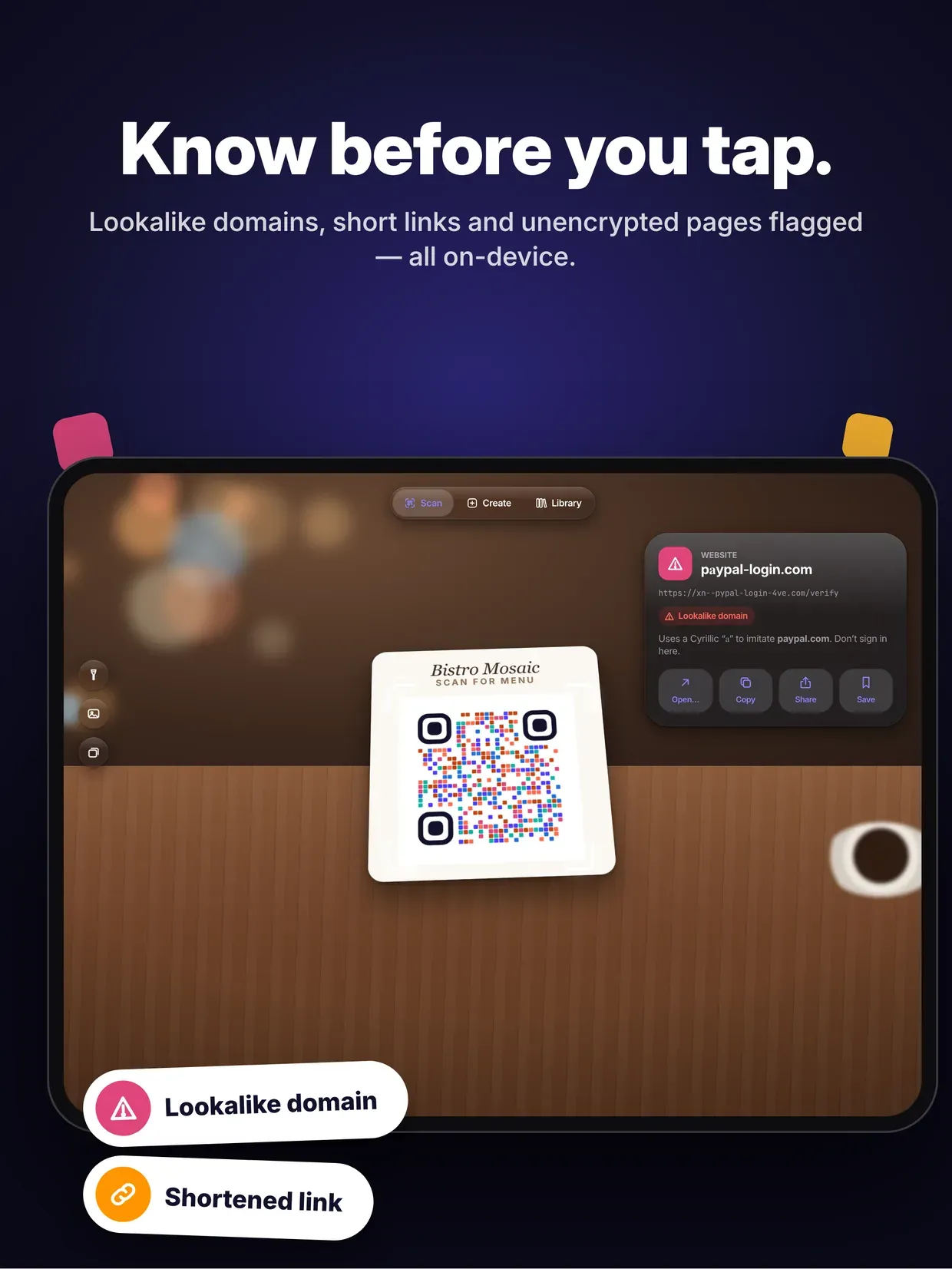
- On-device link check that names the real domain and flags lookalikes, hidden @ text, raw IPs and http pages
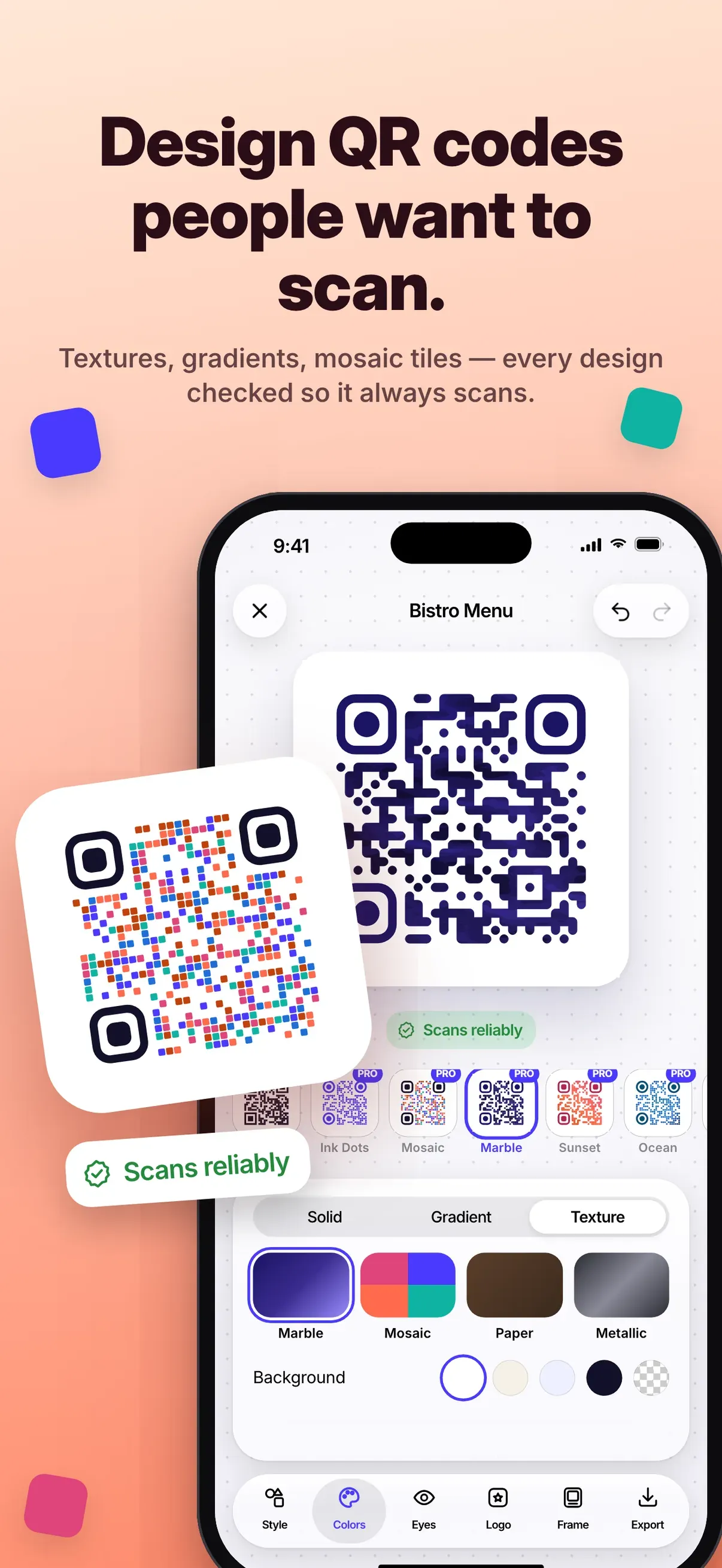
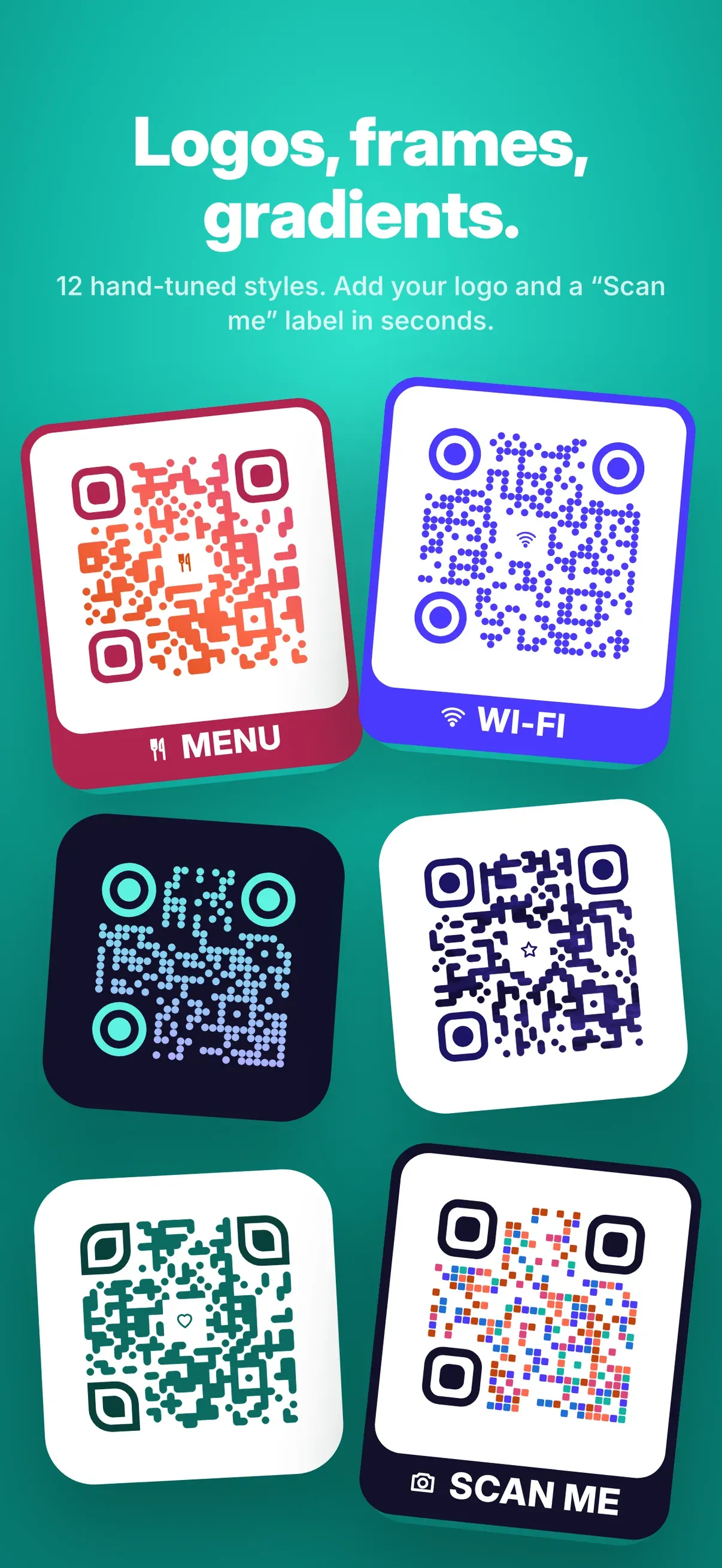
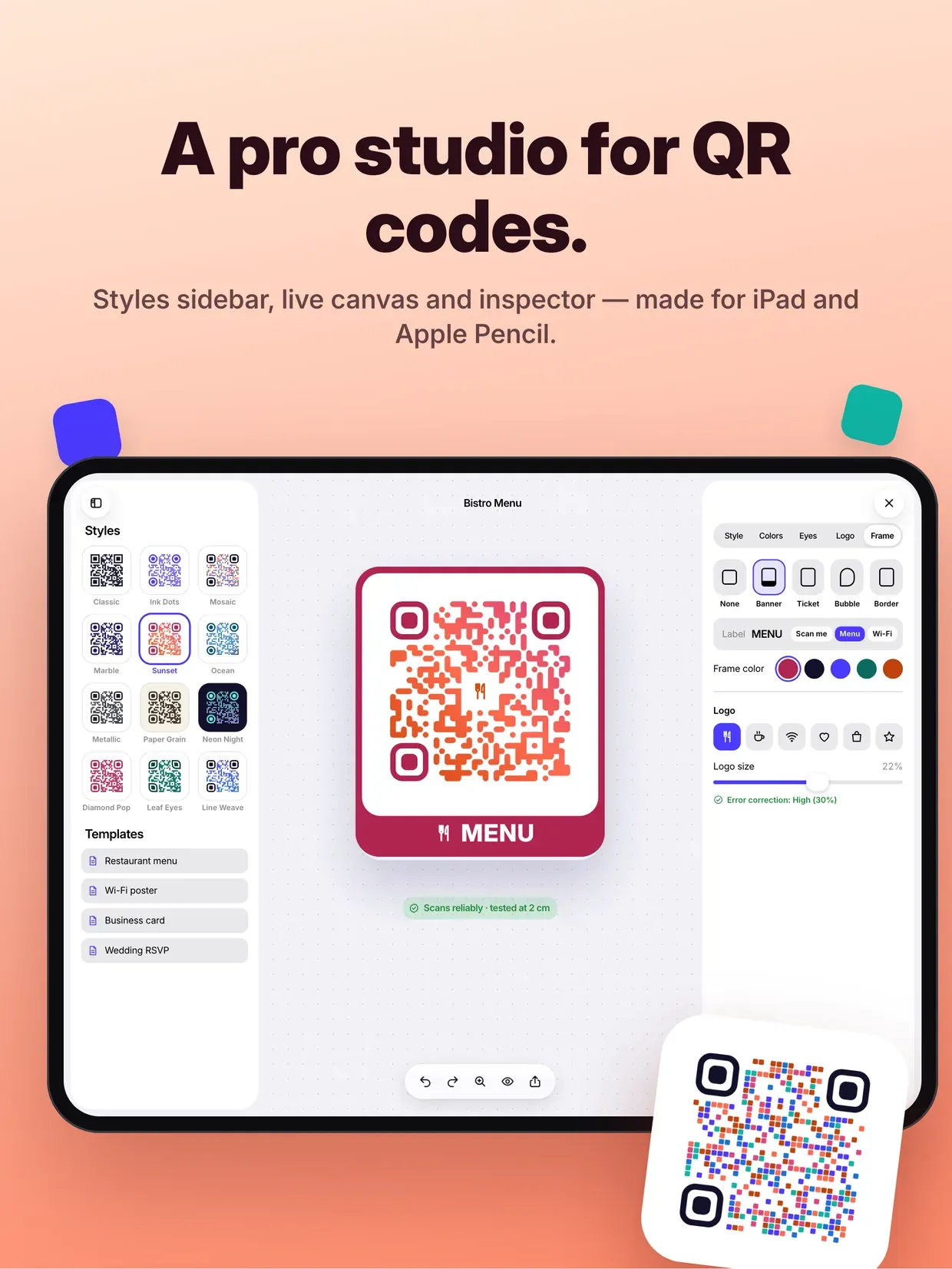
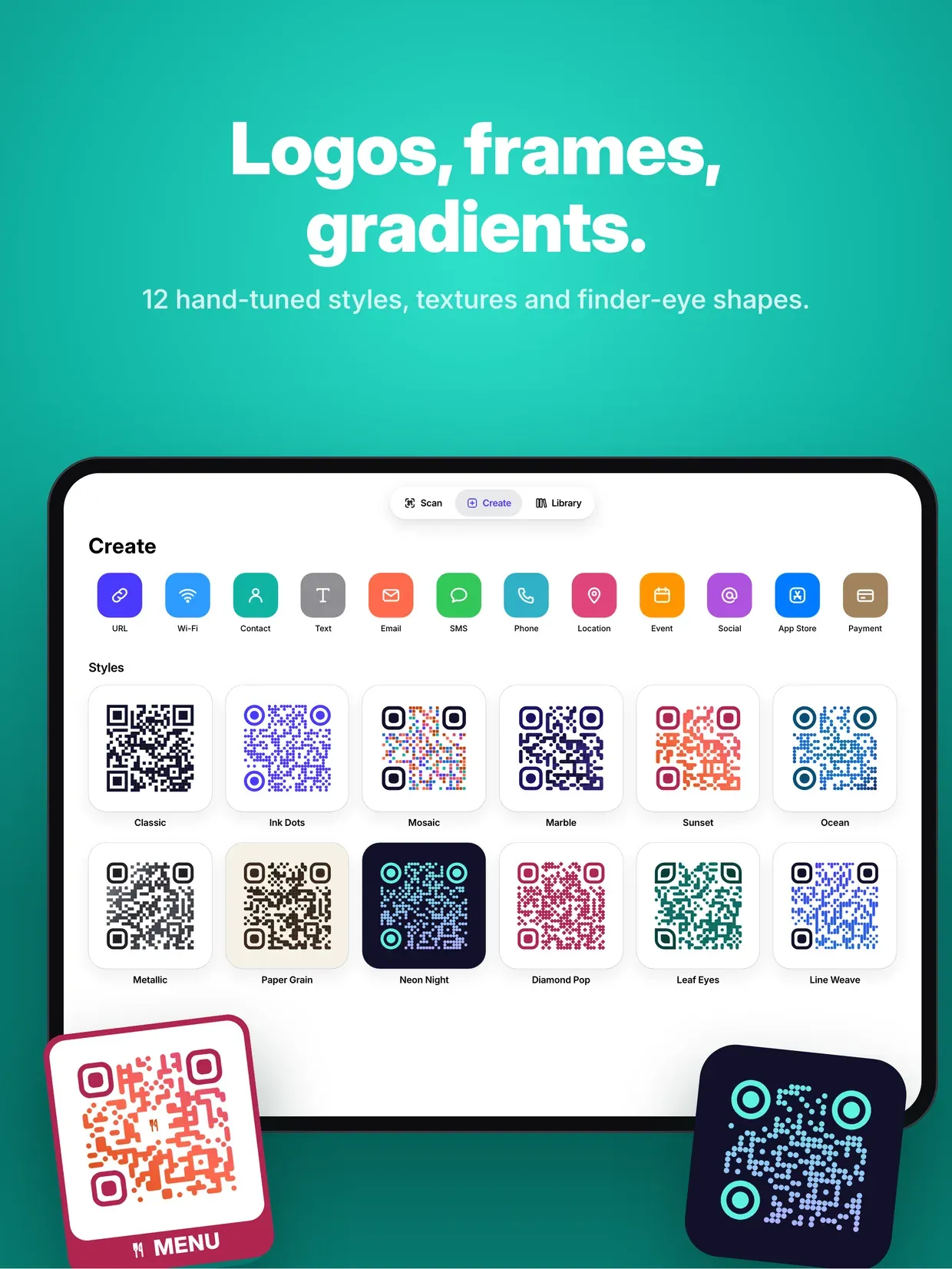
- Designer with styles, textures, module and eye shapes, logos, gradients and frames
- Live scannability check: each design is decoded on-device before export
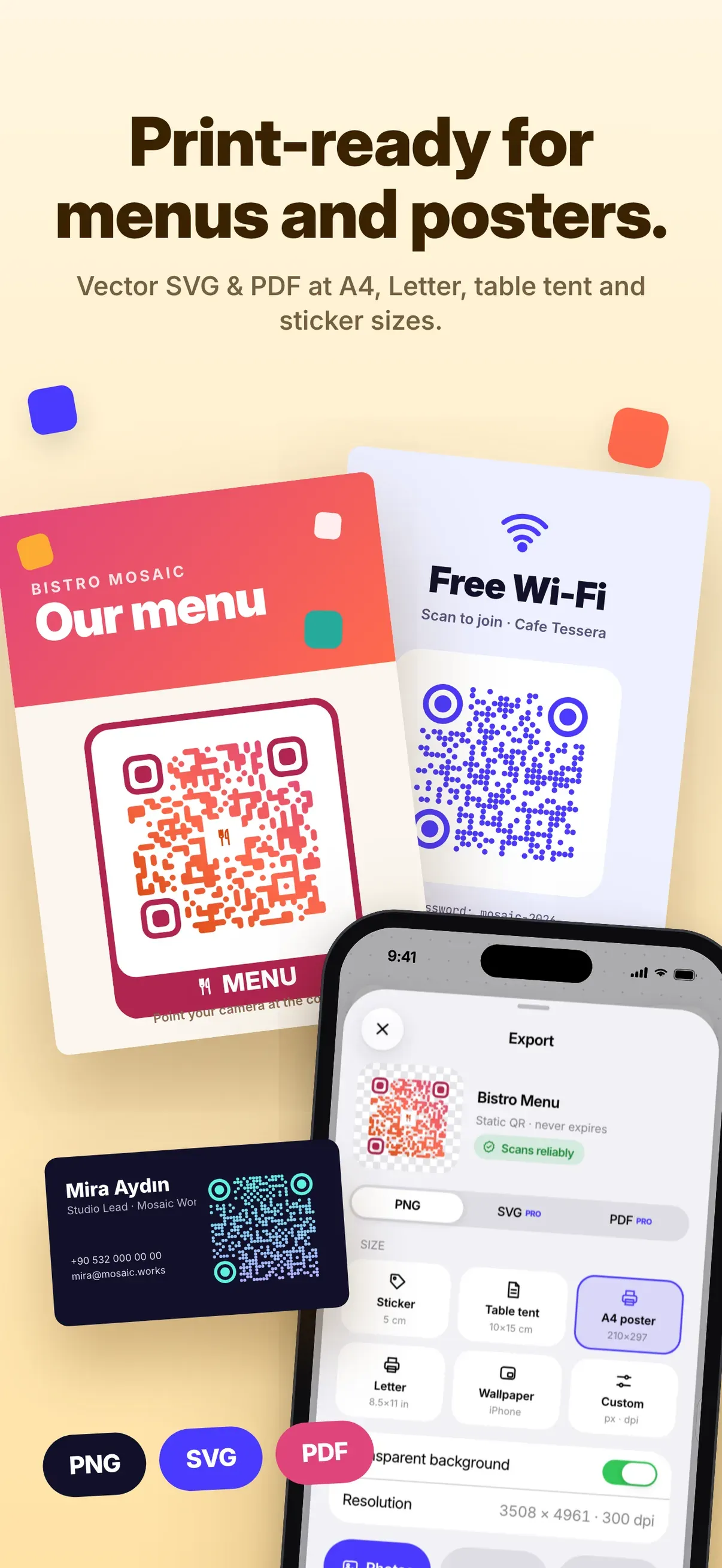
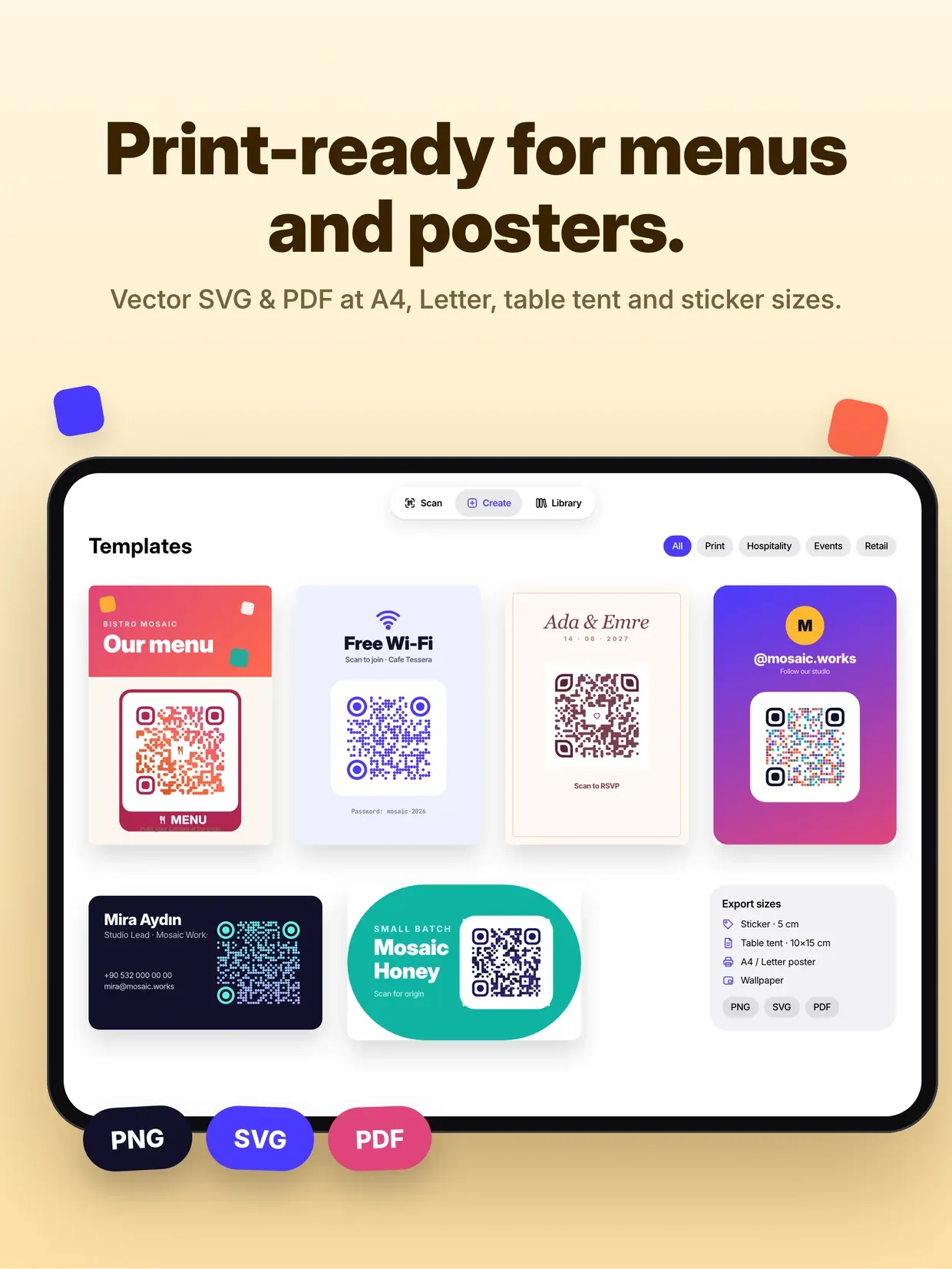
- Print-ready PNG, vector SVG and PDF, poster layouts and Batch from CSV
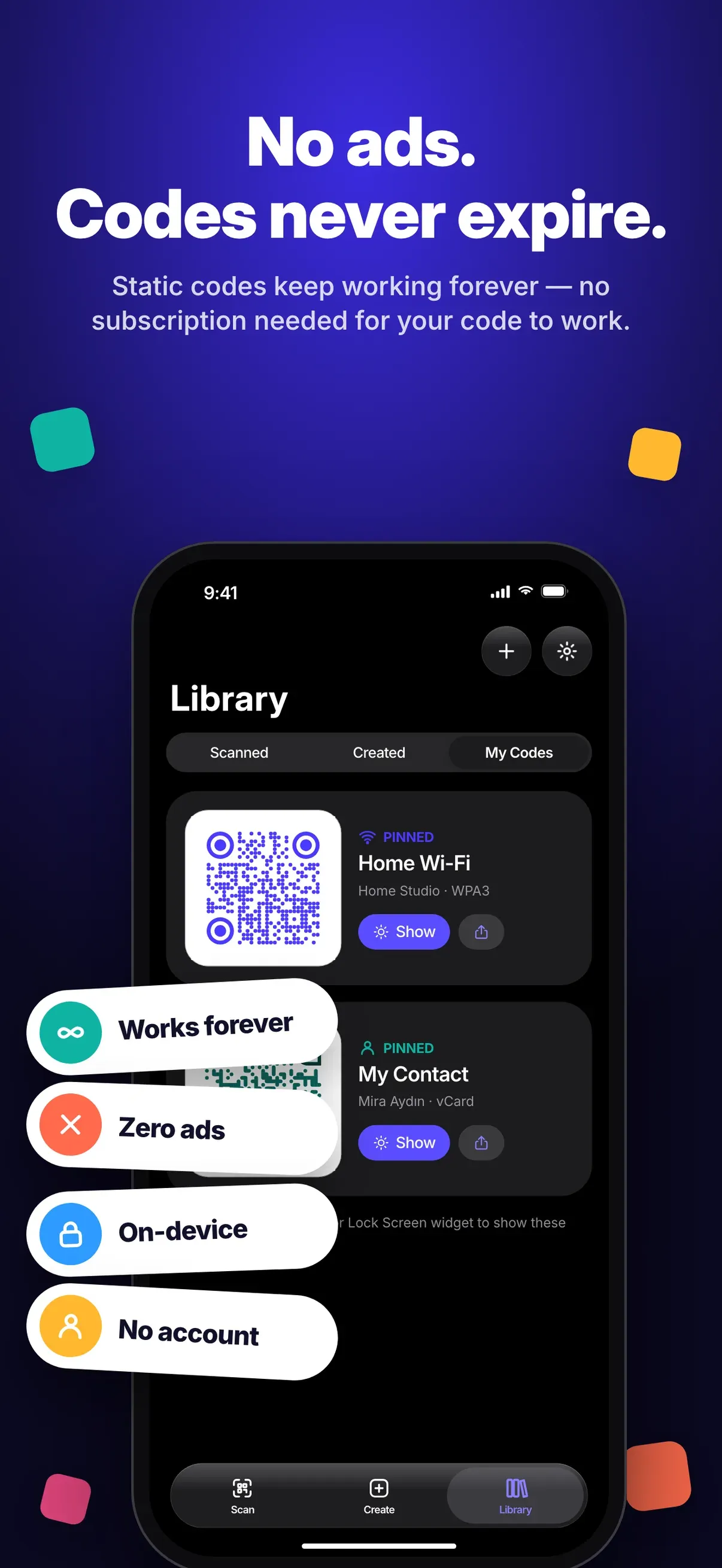
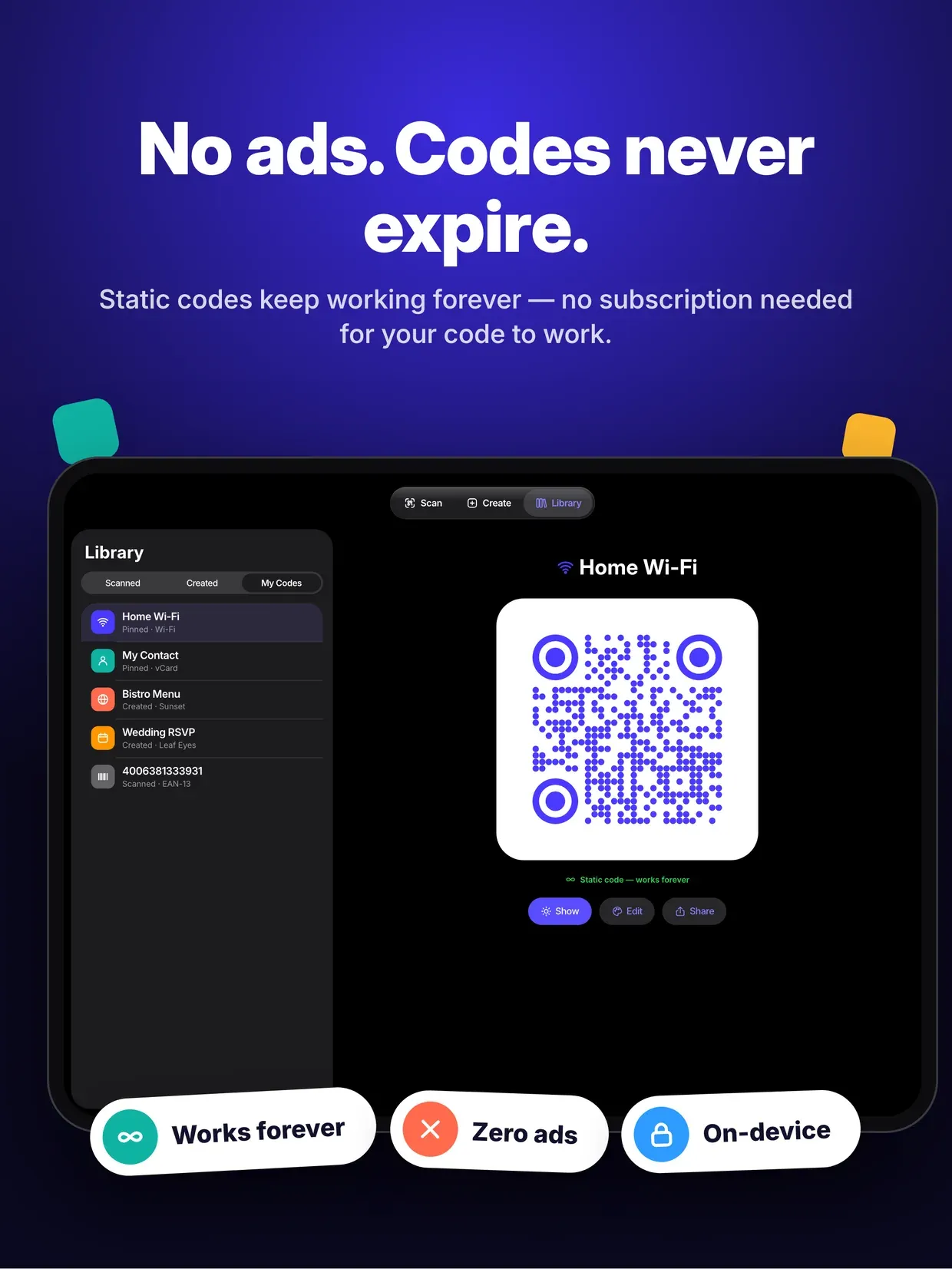
- Static codes that never expire — no server keeping them alive
- Widgets, a Control Center control, the Make QR action and App Shortcuts
How it works
-
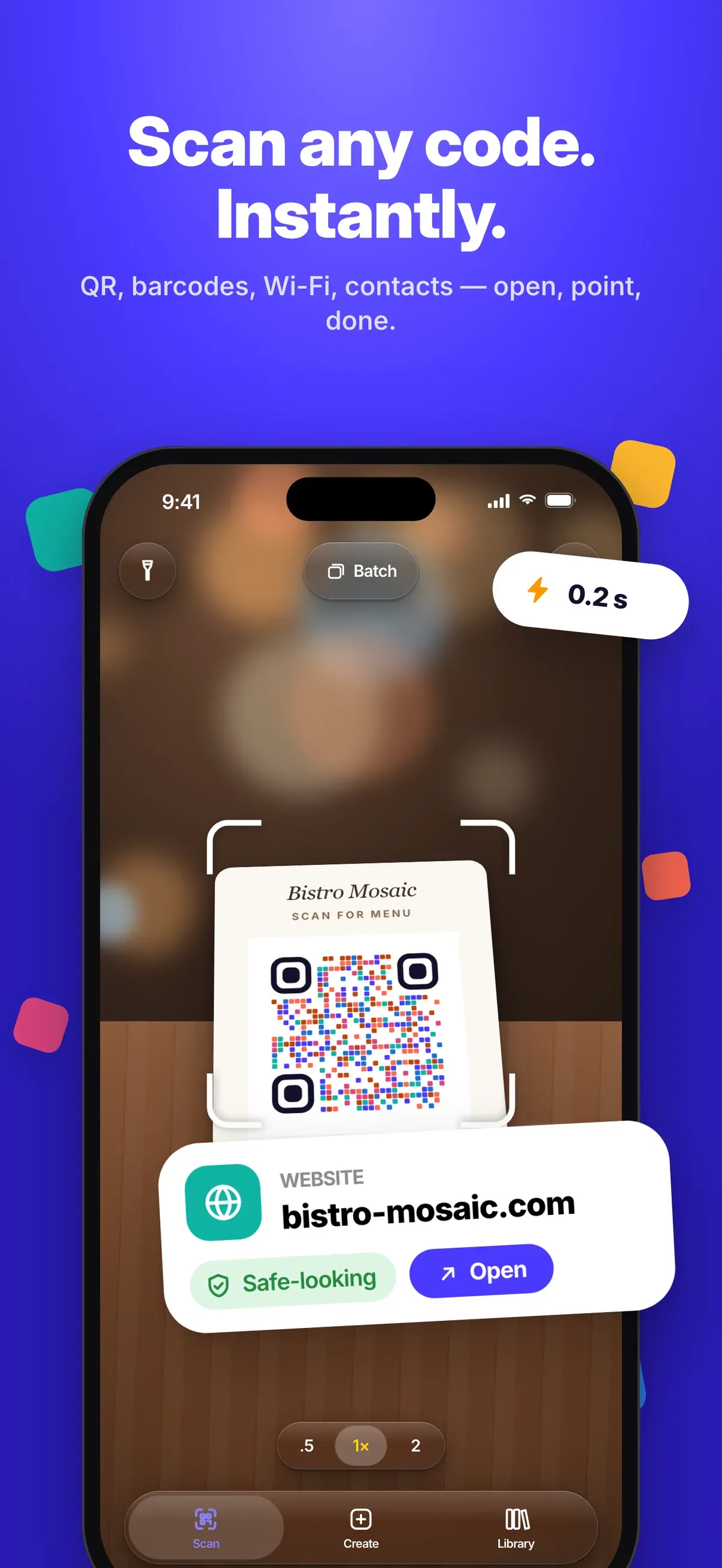
Scan any code
Point the camera at a QR code or barcode, or turn on Batch mode for a stack of tickets or labels. Scan from Photo and Scan from PDF or File read codes in pictures, screenshots and PDF pages. Tessera reads QR, Micro QR, Data Matrix, Aztec, PDF417, EAN, UPC, Code 128, Code 39, Code 93, ITF, Codabar and GS1 DataBar.
-
Check the link before it opens
Every link shows the domain it really belongs to. Tessera flags lookalike domains, international characters, mixed alphabets, raw IP addresses, unencrypted http pages and hidden sign-in details. For a short link, Reveal Destination asks the shortener once where it points, without opening the page.
-
Design your own code
In Create, start from a style, then change the module and eye shapes, use a gradient or a texture, put your logo in the middle and add a frame with a call to action. Tessera decodes the design on your device while you work and says whether it scans reliably, scans with a tip or won't scan.
-
Print it or keep it close
Export PNG, vector SVG or PDF at sizes such as a 5 cm sticker, a table tent or an A4 or US Letter poster at 300 dpi, or start from a poster template. Batch from CSV turns a spreadsheet of links into a ZIP of finished codes. Pin your contact card or guest Wi-Fi to My Codes and show it from a widget.
Who it is for
-
Cafés, shops and event organizers
Table tents, stickers and posters with your logo, as static codes that keep scanning without any service behind them.
-
Anyone wary of a stranger's QR code
The link check names the real domain and points out lookalikes, raw IP addresses and hidden sign-in details before you open anything.
-
People who scan tickets, labels and stock
Batch mode reads one code after another, and the Library keeps every scan with search, favorites, folders and CSV export.
Written guide
Tessera: see where a QR code really goes before you tap it
A scanner that checks a link on the device before it opens, plus a designer for static QR codes with logos and print-ready export.
Read the guideQuestions about Tessera: QR Code Scanner
- Is it safe to scan a QR code?
- A QR code can hide any address, so Tessera shows the domain a link really belongs to before you open it. It flags lookalike domains, international characters, mixed alphabets, raw IP addresses, unencrypted pages and text hidden before an @ sign. These checks run on your device. The one exception is Reveal Destination on a short link, which asks the shortener once where it points, and only when you tap it.
- How do I scan a QR code from a screenshot or photo?
- On the Scan tab, choose Scan from Photo to pick a picture or screenshot, or Scan from PDF or File for an image file or the pages of a PDF. Tessera finds every code in the image. The photo picker runs outside the app, so Tessera does not ask for access to your whole library.
- Do QR codes expire?
- Static codes do not. Tessera writes the data into the code itself, so a printed menu or poster keeps scanning with no service behind it. Codes from dynamic QR services point at a redirect, which stops working when that service does.
- Will a QR code with my logo still scan?
- Tessera decodes every design on your device while you edit it. You see Scans reliably, Scans, with a tip, or Won't scan, with a specific suggestion when the contrast or the logo size is the problem, so you find out before anything is printed.
- What is free, and what does Tessera Pro add?
- Scanning, link checks, the Library and codes with square modules and solid colors in PNG are free, with up to 3 folders and one code in widgets. Tessera Pro adds premium styles, gradients, textures, logos, frames and label fonts, SVG and PDF export, poster templates, Batch from CSV, more folders and more codes in widgets. It comes as a weekly plan with a 3-day free trial, an annual plan or a one-time lifetime purchase.
- Do I need an account, and where is my history kept?
- There is no account. Your scans and the codes you make stay on your device, in the Library under Scanned and Created, and you can export them as CSV. Tessera has no ads.
- Can I join a Wi-Fi network from a QR code?
- Yes. When you scan a Wi-Fi code, tap Join Network and iOS connects to it. Contact and event codes open in the system editors, and product numbers can be searched on the web. To share your own guest Wi-Fi, create a Wi-Fi code and pin it to My Codes.
- Which devices and languages does Tessera support?
- iPhone and iPad with iOS 17.6 or later; on iPad the designer shows styles, canvas and settings side by side. Home Screen and Lock Screen widgets, the Scan a Code shortcut and the Make QR share action are included, and the Control Center control needs iOS 18. The app is in English and Turkish.
Free tools
Free tools that fit Tessera
Same corner of the toy box
More apps you might like
If Tessera: QR Code Scanner is your kind of thing, these live in the same neighbourhood — all made by the same pair of hands.