 Free on the App Store
- Category
- Productivity
- Runs on
- iPhone, iPad
- Developer
- Cihat SALİK
Preview
iOS

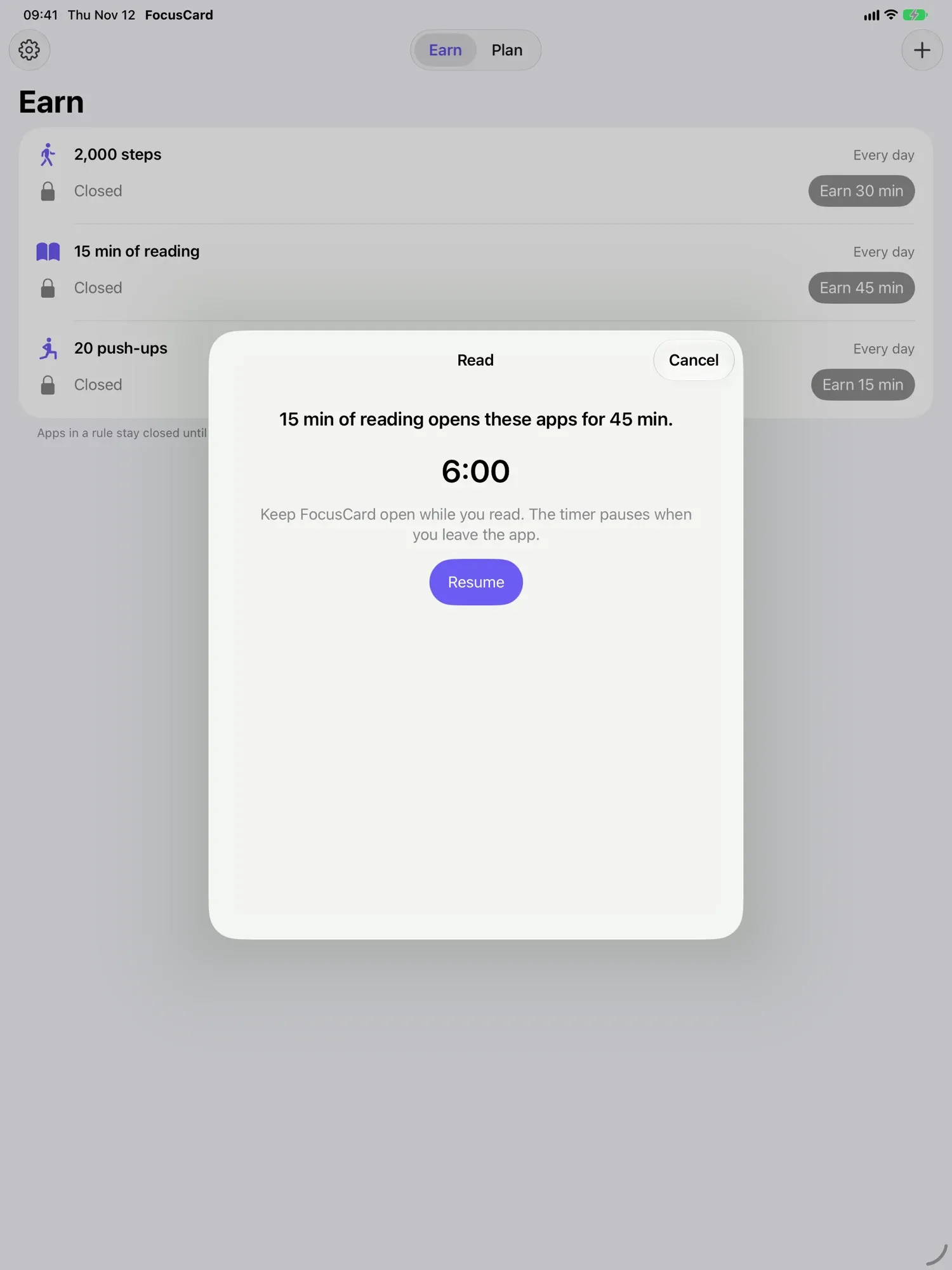
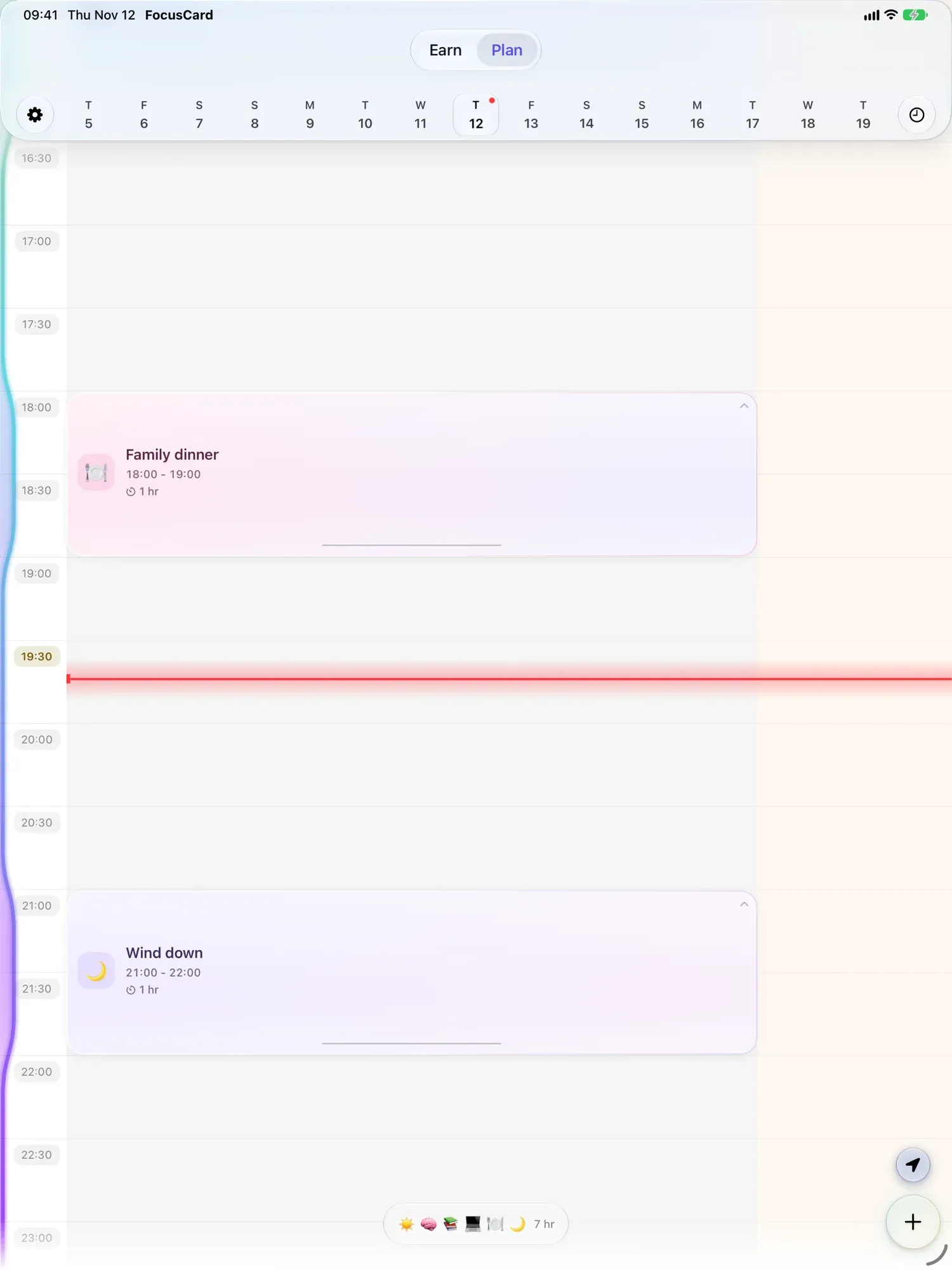
About
Highlights
- Closes the apps you pick, one by one or by group: Social, Video, Games, Messaging, News and Shopping
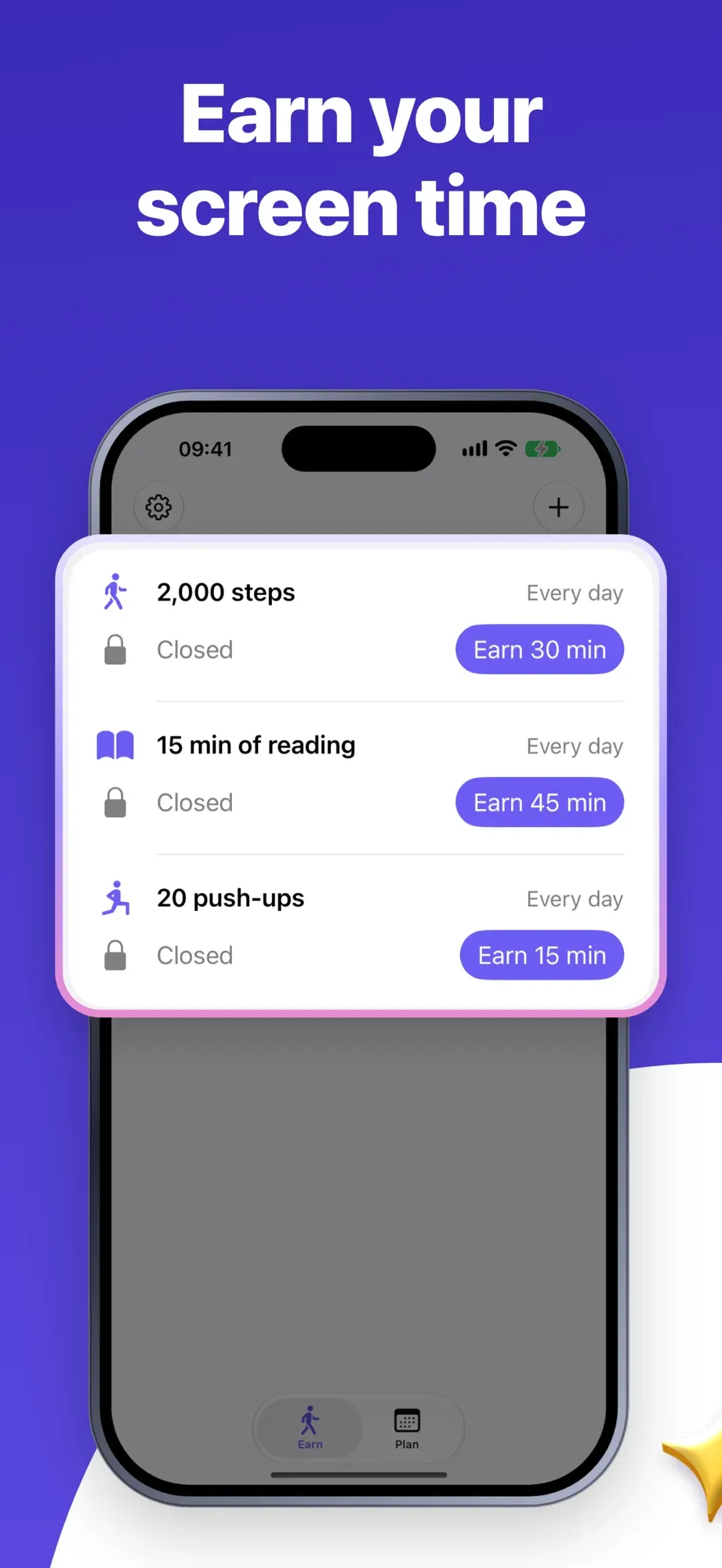
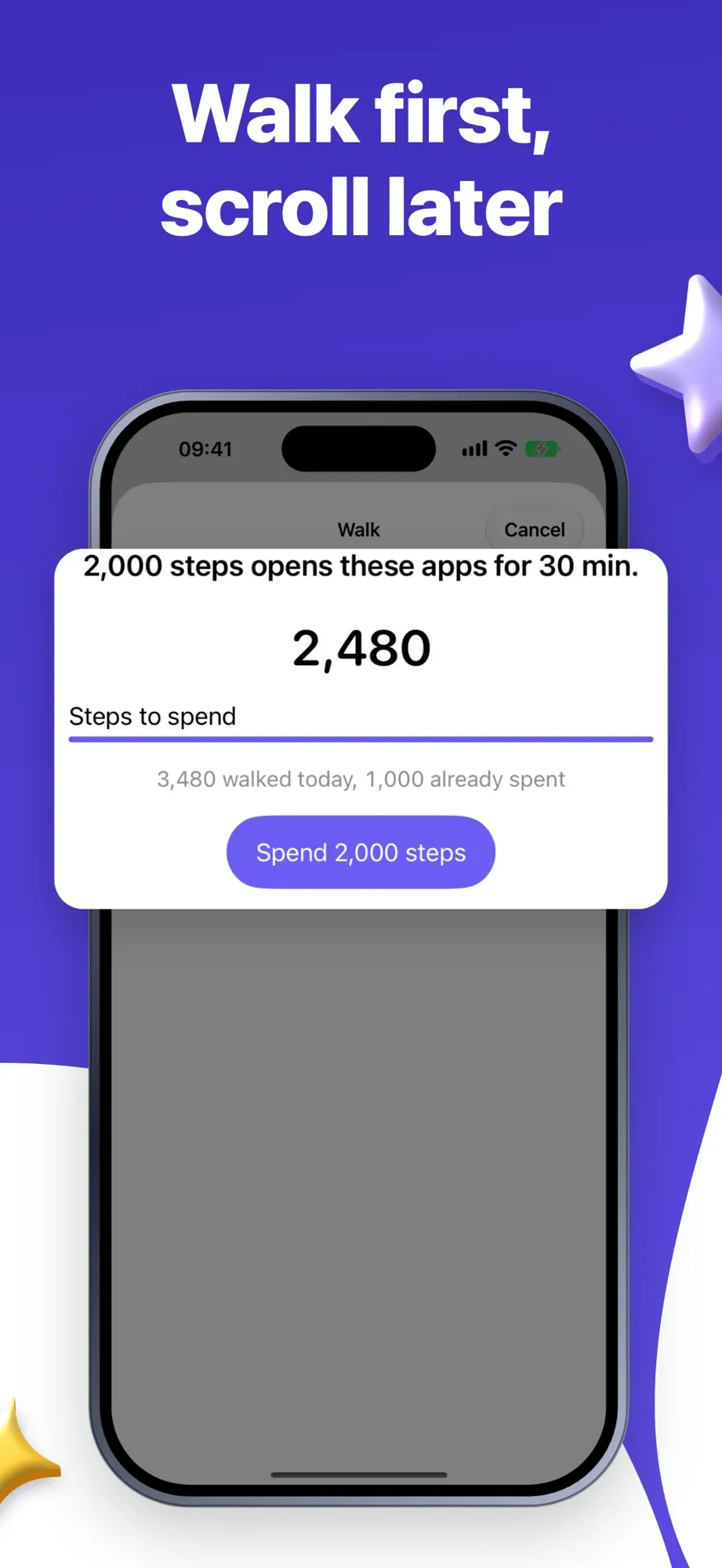
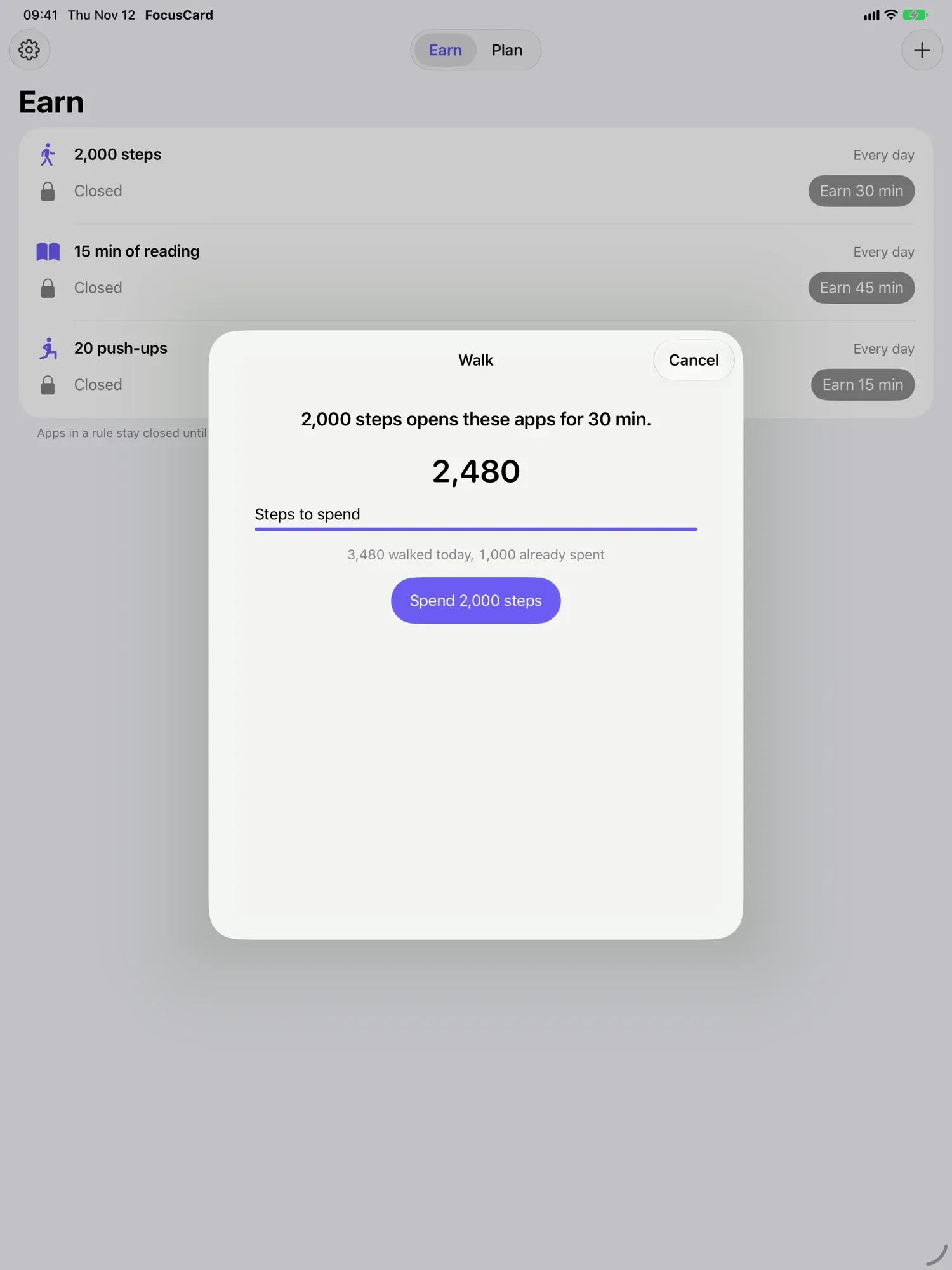
- Walk to open them: today's steps come from Apple Health, including steps from before you opened the app
- Push-ups counted with your iPhone on the floor under your chest
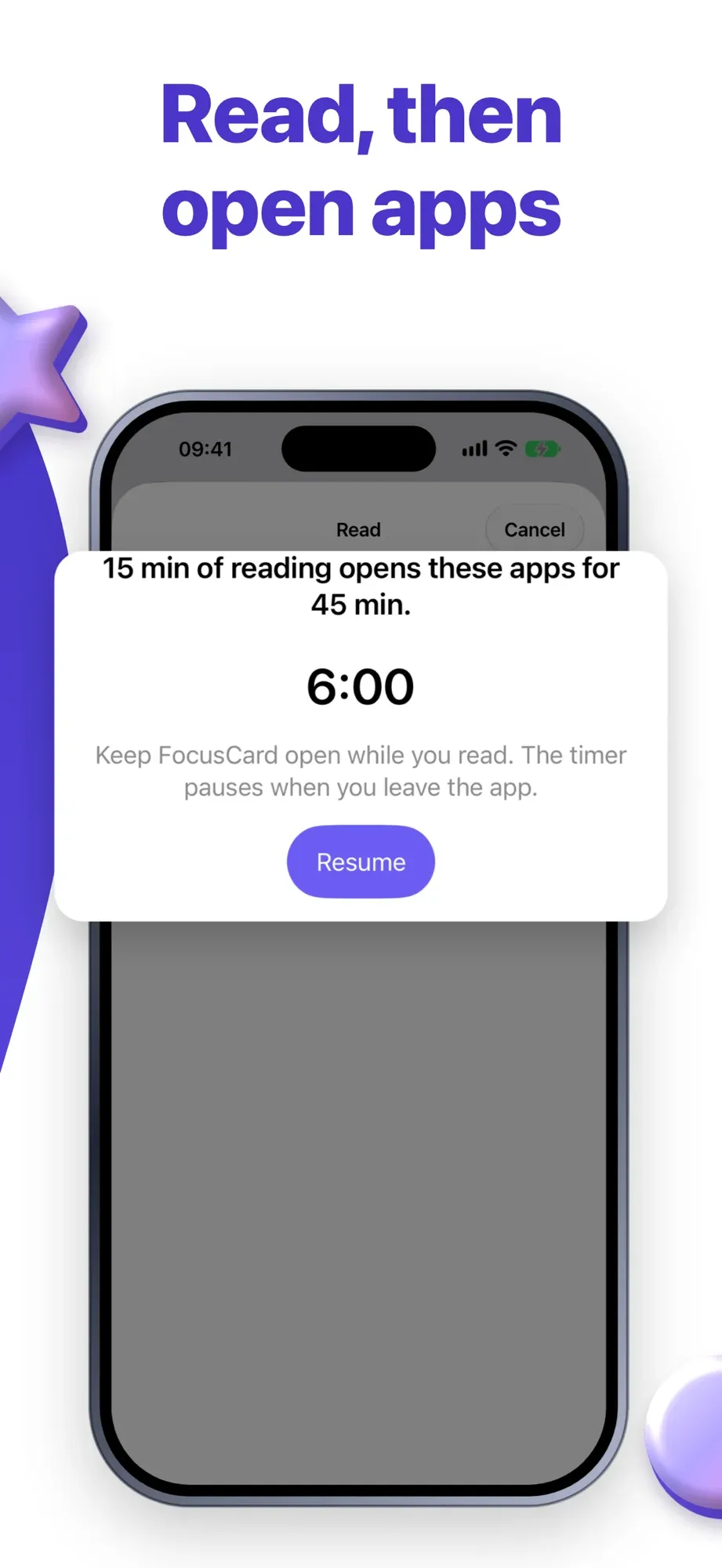
- A reading timer that runs only while FocusCard is open
- Earned apps open for 15, 30, 45 or 60 minutes, then close on their own
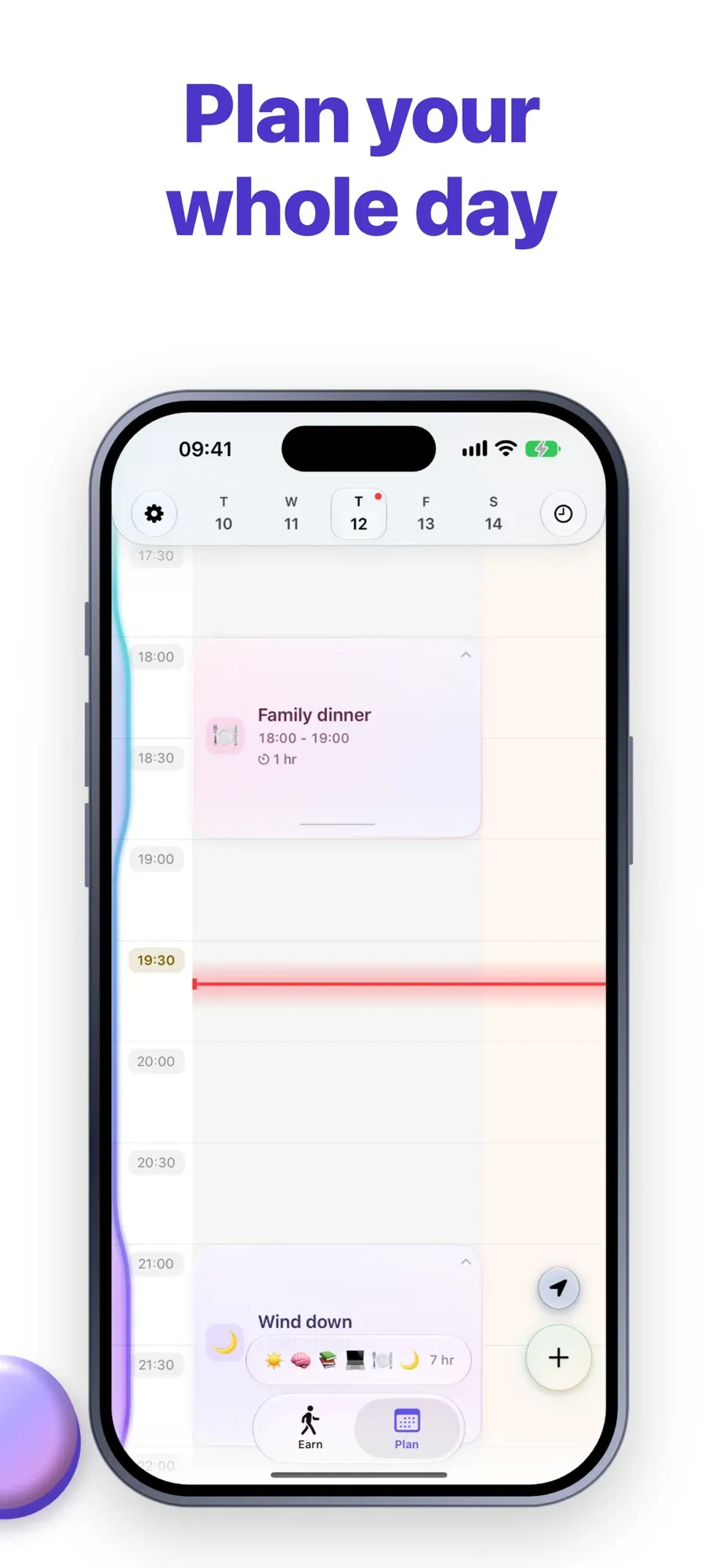
- The Plan tab: a 24-hour grid of cards that block apps at set hours, in Soft or Hard mode
- Daily Limit cards with sessions per day, minutes per session and a cooldown
- 15 presets on the Plan tab, already timed and pointed at the right apps
- Built on Apple Screen Time: no VPN, no profile, no account
How it works
-
Pick the apps
Choose the apps that eat your day, one by one or by group: Social, Video, Games, Messaging, News and Shopping. FocusCard closes them through Apple Screen Time.
-
Set the deal
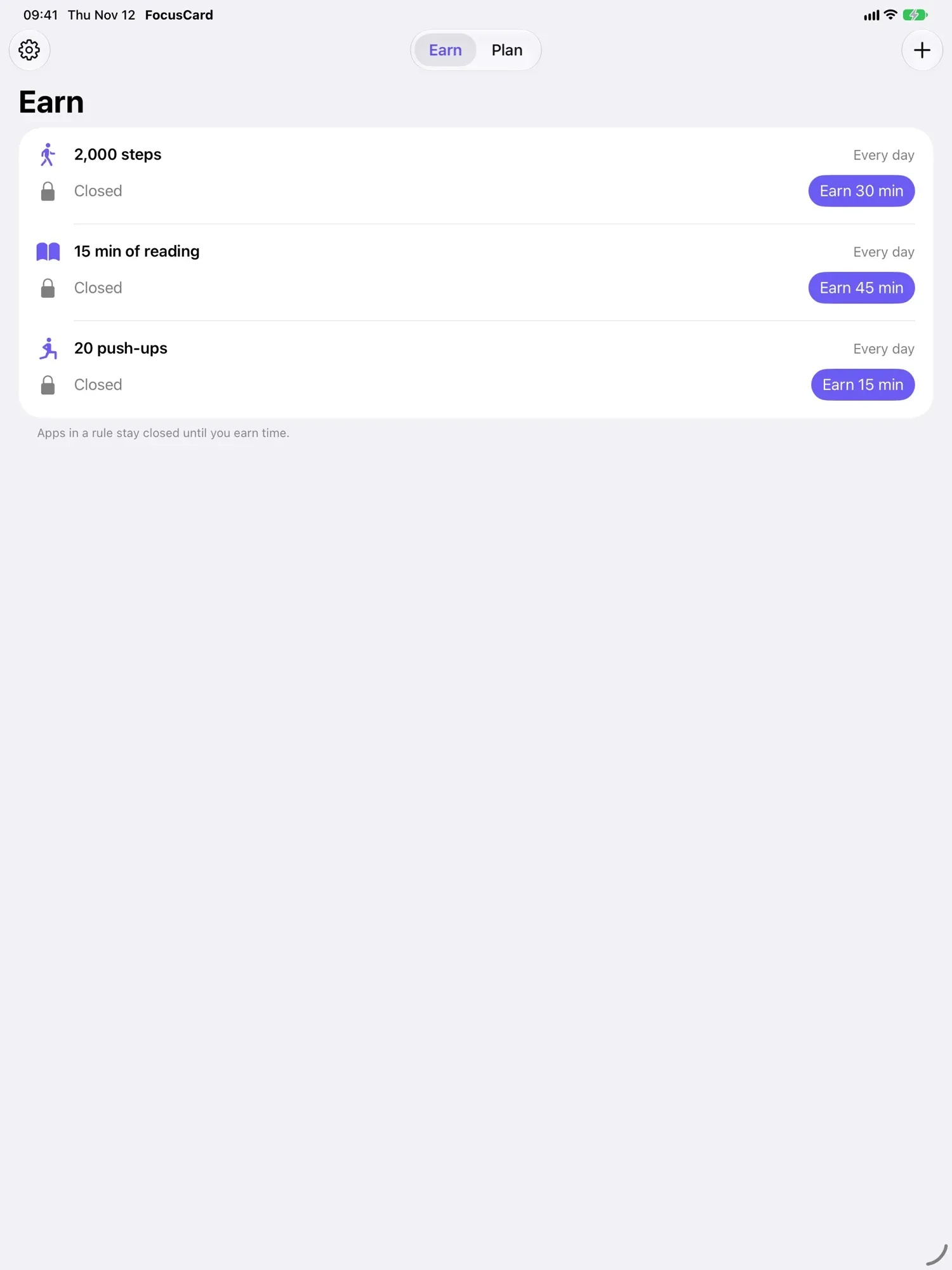
Pick a goal and a reward. Walk 500 to 5,000 steps, do 5 to 50 push-ups or read for 5 to 60 minutes, and the apps open for 15, 30, 45 or 60 minutes.
-
Earn it
A closed app shows Earn it first. Tap Earn time and a notification takes you to FocusCard, where you walk, do your push-ups with the phone on the floor, or read with the app open.
-
Open, then closed again
When the goal is met, the apps open until the time you chose and then close on their own, even when FocusCard is not running. A daily rule closes them again every morning.
Who it is for
-
People who lose evenings to scrolling
Short videos and feeds stay closed until you have done something first, so every session starts with a walk, a set of push-ups or a few pages.
-
Anyone who sits most of the day
Steps from Apple Health and push-ups counted from the floor turn screen time into a reason to move. Steps you walked before opening the app count too.
-
Students and readers
The reading timer runs only while FocusCard is open, so 20 minutes of a book or your notes come before the apps. The Plan tab keeps study and exam blocks on a 24-hour grid.
Written guide
FocusCard: block the apps on a schedule instead of starting a timer
Lay focus blocks on a 24-hour grid once and the day defends itself. Distracting apps shield themselves when a block starts, built on Screen Time with no VPN.
Read the guideQuestions about FocusCard: Earn Screen Time
- How do I earn screen time in FocusCard?
- Make a rule: pick the apps, then a goal and a reward. Walk 500 to 5,000 steps, do 5 to 50 push-ups or read for 5 to 60 minutes, and the apps open for 15, 30, 45 or 60 minutes. Then they close again by the clock, even when FocusCard is not running.
- How does FocusCard count push-ups?
- Lay your iPhone face up on the floor under your chest and tap Start. Each time your chest comes down to the phone and you push back up, the proximity sensor counts one. There is no camera and no extra permission. Push-ups need an iPhone, since iPad has no proximity sensor.
- What does FocusCard read from Apple Health?
- Only today’s step count. FocusCard never writes to Health, and the count stays on your device. Steps you walked before opening the app count too, and each pass spends some of them. If the count stays at zero, allow FocusCard in Settings › Health › Data Access & Devices.
- Does FocusCard need a VPN, a profile or an account?
- No. It works through Apple Screen Time, so there is no VPN, no configuration profile and no account. Your steps, rules and app choices stay on your device. You can edit or delete a rule at any time, even while its apps are closed.
- Can I still plan my day by the hour?
- Yes. The Plan tab keeps the 24-hour grid: drag cards onto the hours that matter, with overlapping cards in lanes, a live current-time line and pinch to week, month or year. The same day reads as a clock with eight faces and a desk screensaver. There are 15 presets, already timed and pointed at the right apps, and cards block in Soft, Hard or Daily Limit mode, with sessions and cooldowns.
- What is free, and what does FocusCard Pro add?
- Free gives you one live rule or card at a time. A free rule stands until midnight of the day you made it, and Use today sets it up again. FocusCard Pro adds as many rules and cards as you need, rules and cards that repeat every day, Daily Limit and the full card editor, as a weekly plan, a yearly plan with a one-week free trial, or a one-time lifetime purchase.
Get FocusCard: Earn Screen Time
Push-ups & walking app blocker
Free tools
Free tools that fit FocusCard
Same corner of the toy box
More apps you might like
If FocusCard: Earn Screen Time is your kind of thing, these live in the same neighbourhood — all made by the same pair of hands.
TaskCard: Visual Timer Planner
Visual Schedule & ADHD Routine
ProductivityiOS · macOS
Nocturne: Sleep Talk & Snore
Snoring Recorder & Monitor
Health & FitnessiOS · macOS
Stirwise: Wrist & Light Alarm
Wrist taps before any sound
UtilitiesiOS
ReadPace: Speed Reading & RSVP
Read Faster & Train Your Focus
EducationiOS